Naming Versions So You Can Go Backwards

I once spent three days—and roughly four hundred pounds of billable time—trying to reconstruct a ghostwritten memoir because a client sent me a file named “Final_v2_REVISED_USE_THIS_ONE.docx” and then proceeded to lose the original. It is a special kind of professional hell, the kind that makes you want to throw your MacBook into the Thames. Most people think they need some expensive, proprietary software or a complex cloud-based ecosystem to solve this, but that’s just more bloat. If you want to learn how to manage versions without losing your mind or your profit margin, you need to stop treating your file naming like a game of Mad Libs and start treating it like a legal audit trail.
I am not here to sell you on a new subscription service or a productivity hack that requires a three-week learning curve. I am going to show you the exact, low-tech system I use to ensure I never spend another afternoon hunting for a lost paragraph. We are going to talk about naming conventions, folder structures, and the uncomfortable truth about why your current method is actively sabotaging your ability to hit a deadline.
File Organization Strategies to Stop the Revision Leak

The first rule of survival is to stop naming your files “Manuscript_FINAL_v2_REVISED_ActualFinal.” It is a lie, and it is a recipe for a nervous breakdown. If you want to implement actual file organization strategies that don’t involve a frantic search through your trash bin at 3:00 AM, you need a naming convention that is boring, predictable, and ruthless. I recommend a simple date-based suffix: YYYY-MM-DD. It keeps everything in a chronological line that doesn’t rely on your memory, which, let’s be honest, is usually fried by the third chapter.
Once you have the naming settled, you need to treat your folder structure like a professional digital asset management workflow rather than a junk drawer. Create a dedicated “Archive” folder. Every time you reach a significant milestone or finish a heavy structural edit, move the old, messy files into that folder immediately. This isn’t just about tidiness; it’s about reducing the cognitive load of seeing twenty different iterations staring at you from your desktop. If you aren’t actively pruning your workspace, you aren’t editing; you’re just hoarding mistakes.
Why Document Revision History Is Your Only Audit Trail
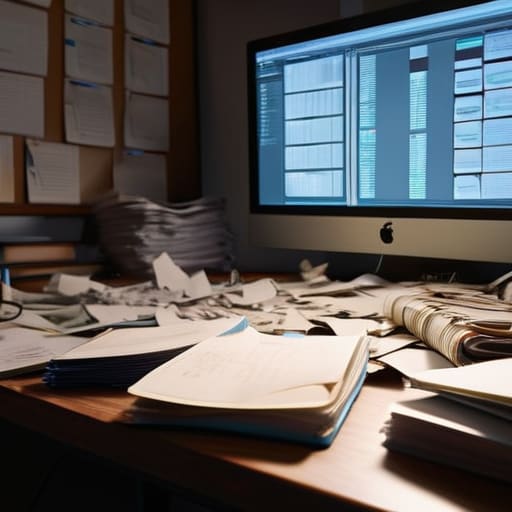
If you think you can just “remember” what you changed between Tuesday’s draft and Friday’s polish, you’re lying to yourself. I’ve seen it happen a dozen times: a client asks why a specific character beat or a crucial data point from three weeks ago has vanished, and the writer stares at a screen of Final_Draft_v4_REALLY_FINAL.docx with nothing to show for it. Without a proper document revision history, you aren’t managing a project; you’re just wandering through a digital fog.
Maintaining a clear audit trail isn’t about being precious or academic; it’s about professional survival. When you implement basic version control systems best practices, you create a map of your own decision-making. If a structural change you made in Chapter Three ends up collapsing the entire narrative arc in Chapter Ten, you need to be able to backtrack to the exact moment the foundation cracked. You need to see the evolution of the text, not just the wreckage of your latest mistakes. Knowing exactly where you went wrong is the only way to ensure you don’t repeat it in the next billing cycle.
Five Ways to Stop Treating Your Manuscript Like a Junk Drawer
- Kill the “Final_v2_REAL_FINAL” naming convention immediately. If I see a file named “Draft_Final_Revised_For_Client_USE_THIS_ONE” in my inbox, I’m charging you a premium for the headache. Use a strict ISO date format—YYYY-MM-DD—at the start of every filename so they actually sort themselves in your folder.
- Stop working in the cloud without a local fallback. Google Docs is wonderful until the Wi-Fi hiccups or a sync error decides your last three hours of structural editing never actually happened. Always keep a local, timestamped master copy on your hard drive.
- Separate your “Work in Progress” from your “Archive.” Create a folder named ‘Old_Versions’ and move every previous iteration into it the second you start a new one. Your main workspace should only ever contain the current version and the one immediately preceding it. Anything else is just cluttering your mental bandwidth.
- Use “Track Changes” as a surgical tool, not a blunt instrument. If you’re doing a heavy structural overhaul, don’t just delete paragraphs and hope for the best; leave them in a separate “Scrap” document. You’ll realize later that those “bad” ideas actually had one good sentence worth saving, and you’ll be glad you didn’t have to rewrite it from scratch.
- Treat your version control like a billable hour. Every time you spend twenty minutes hunting for the version of a chapter that actually worked, you are losing money. A disciplined filing system isn’t “extra work”—it is a way to protect your day rate by ensuring you spend your time writing, not searching.
The Bottom Line on Version Control
Stop the “Final_Final_v2” madness; a disciplined naming convention isn’t just for the organized, it’s insurance against the midnight panic when you realize you deleted a crucial paragraph three versions ago.
If you aren’t using a platform that tracks incremental changes, you aren’t managing a manuscript—you’re gambling with it, and in this business, a lost chapter is a direct hit to your billable hours.
Treat your version history like an audit trail; when a client (or an editor) asks why a specific structural change was made, you need a paper trail of logic, not a vague memory of a “feeling” you had on Tuesday.
The High Cost of "Final_v2_REVISED_ActualFinal"
If your file naming convention looks like a desperate cry for help, you aren’t just disorganized; you’re a liability. I’ve seen authors lose three weeks of structural work because they couldn’t tell the difference between a rough polish and a fundamental rewrite, and quite frankly, I don’t have the billable hours to fix a mess that could have been avoided with a simple, disciplined versioning system.
Cressida Farrow-Bassey
The Cost of Chaos
At the end of the day, managing your versions isn’t about being a tech wizard or having a pristine desktop; it’s about protecting your most valuable assets: your time and your sanity. If you aren’t using a disciplined naming convention, leveraging a proper revision history, and treating your file organization like the professional infrastructure it is, you are essentially leaving the door open for disaster. Every hour you spend hunting for “Manuscript_Final_v3_ACTUALLY_FINAL_edit.docx” is an hour you aren’t billing, and more importantly, it is an hour you aren’t writing. Stop treating your version control like an afterthought and start treating it like the business foundation it needs to be.
I know it feels tedious. When you’re in the middle of a creative flow, the last thing you want to do is stop and name a file according to a strict protocol. But remember that the “magic” of writing is often just a thin veneer over a very rigorous, very disciplined process. Once you master the mechanics of your workflow, you free your brain to actually do the work that matters. Don’t let a messy folder structure be the reason a brilliant manuscript never makes it to the printer. Build the system now, so that when the real momentum hits, you can run full tilt without looking back to see if you’ve lost your way.
